WEBAPPS
SKETCH-303
Universal pattern editor for
TB-303 with MIDIBass 303 · Behringer TD-3 and TD-3-MO
| NAME | VERSION | ||
|---|---|---|---|
| SKETCH-303 | 1.0.0 | START WEBAPP | DOWNLOADS (Windows/macOS) |
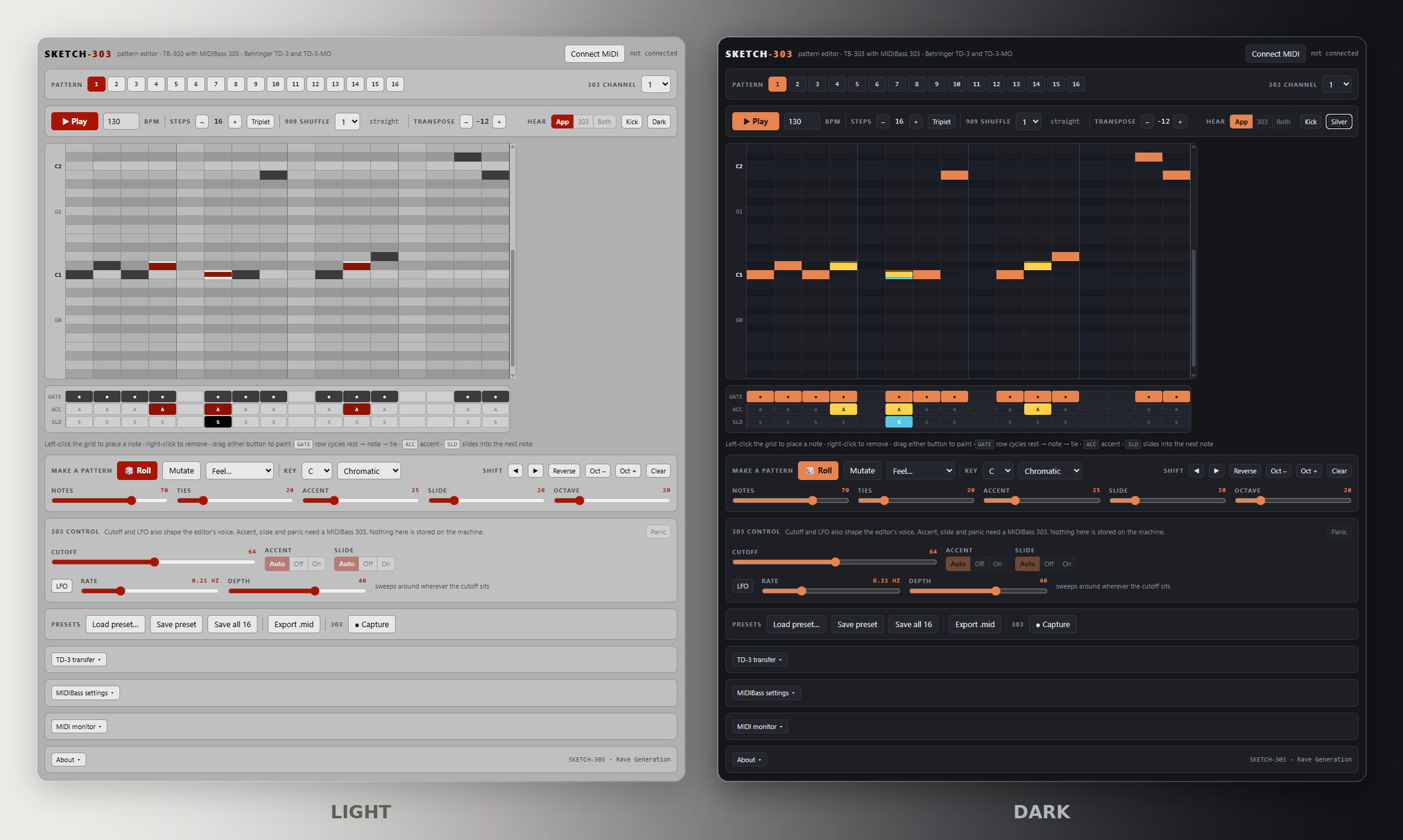
🎛️ Browser-based pattern editor for the Roland TB-303 and the Behringer TD-3. A piano roll instead of sixteen step buttons, a generator for when the blank grid stares back, TR-909 shuffle measured from hardware, and an acid voice built in so it works with nothing plugged in. Over MIDI it plays either machine, records a 303's own sequencer back into the grid, and moves patterns in and out of a TD-3's memory slots. Run it in the browser, install it as an app, or download it as a standalone build for Windows and macOS.KEY FEATURES• Piano Roll, Not Sixteen Buttons
Notes sit where you can see them, across four octaves. Left-click places, right-click removes, drag paints a run. Accent, slide and tie get their own lanes under the grid, so what a pattern does is readable at a glance instead of held in your head one step at a time.
• Pattern Generator With Contour
Five sliders — notes, ties, accent, slide, octave — plus key and scale. Pitches follow a bounded random walk over scale degrees rather than a shuffle of unrelated notes, so a roll comes out as a line with shape. Mutate rerolls a quarter of the steps when a pattern is nearly right. Five Feel presets set the sliders and roll in one click.
• TR-909 Shuffle, Measured From Hardware
Seven settings matching the 909's Main Keys 1 to 7, derived from rimshot recordings off a real machine and cross-checked against an independent measurement. Every second step is pushed late by 2/96 of a beat per key while the rest stay nailed to the grid, so the bar never drifts. Key 5 lands on 2:1, key 7 on 3:1.
• Built-In Acid Voice
Sawtooth into a resonant low-pass, with an envelope that multiplies the cutoff rather than adding to it, so low settings genuinely close down. Accent opens the filter further and hits harder. Slides glide without retriggering the envelope, exactly as the hardware does. All of it runs with no interface, no hardware and no network.
• Cutoff, LFO And Kick
The cutoff shapes the built-in voice and goes out as CC1 and CC74 together, so a MIDIBass 303 and a TD-3-MO both follow it. A triangle LFO sweeps around wherever the cutoff sits, sending only on change so it never floods the wire. A 909-style kick marks the beat as a metronome, heard locally and never transmitted.
• Plays The Hardware Correctly
Accent travels as velocity, slide as overlapping notes. The machine makes the slide itself, which is why it sounds right rather than approximated. Velocities are pinned at 80 plain and 127 accented, clear of the accent threshold on either unit and on most other 303 clones.
• Captures A 303's Own Sequencer
A TB-303 has no pattern memory a computer can reach, so the editor records what the machine transmits instead. It counts the 303's own MIDI clock at six ticks per step, so the grid comes from the hardware rather than a guess at the tempo, and anchors on the MIDI Start message so a pattern beginning with a rest still lines up. Pitch, accent, slide and tie all survive the trip.
• Reads And Writes TD-3 Pattern Slots
Pick a group, section and pattern, read the slot, edit it, flash it back. Writing is read-modify-write: only the fields the format documents are replaced, so the bytes it still lists as unknown are carried through untouched. Reading is required before flashing, which is also how you get a backup.
• MIDIBass 303 Settings
All twelve EEPROM parameters — channels, local, note offset, velocities, accent threshold, sync — in one panel, written straight to the unit and kept through a power cycle. It has no way to report its settings back, so the panel says plainly that it shows what you last sent rather than pretending to be in sync.
• MIDI Monitor
Every byte in and out, with a decode: notes by name and velocity, CCs by function, SysEx read against the settings table. Direction is marked and clock is filtered out by default. On a machine that answers nothing, watching the wire is the only diagnostic there is.
• Presets And MIDI Export
Sixteen pattern slots kept in the browser, saved as .json one at a time or as a whole bank. Export .mid writes a standard MIDI file with the shuffle already in the timing and slides as overlapping notes, so a DAW plays back what you heard.
• Four Ways To Run It
Open it in the browser, install it from Chrome or Edge so it gets its own window and works offline, or download the standalone build for Windows or the universal build for macOS, which covers Apple Silicon and Intel. Same app in every case. Patterns live per install, so use Save all 16 to carry a bank from one to another.
• Two Looks
A silver case palette taken from a real 303 — panel greys, black silkscreen, LED red used only where something is lit — or the original dark theme. Accent and slide are marked by bar position rather than brightness, so they read clearly without anything glaring.USER INTERFACE
PATTERN
Pattern (1-16) – Sixteen slots held in the browser. Slots holding notes are marked.
303 Channel (1-16) – The channel notes and CCs go out on. Must match the unit's receive channel.
TRANSPORT
Play – Starts and stops the editor's sequencer. Space bar does the same.
BPM (40-250) – Tempo.
Steps (1-32) – Pattern length, or 1 to 24 in triplet. Both modes cap at two bars.
Triplet (On/Off) – Three steps to the beat instead of four, so 12 steps is a bar. Switching keeps the loop the same length in bars: 16 becomes 12, 32 becomes 24.
909 Shuffle (1-7) – TR-909 shuffle amount. 1 is straight. The readout gives the swing percentage and marks key 5 as 2:1, key 7 as 3:1.
Transpose (-24 to +24) – Shifts the whole pattern in semitones.
Hear (App / 303 / Both) – App plays the built-in voice, 303 sends MIDI notes out instead, Both does each at once.
Kick (On/Off) – Metronome on the beat. Heard locally only, never sent.
Dark / Silver – Switches the palette.
GRID
Roll – Left-click places a note, right-click removes it, drag either button to paint.
GATE lane – Cycles rest, note, tie. Step one can never be a tie.
ACC lane – Accent, which travels as note velocity.
SLD lane – Slide into the next note, which travels as an overlapping note.
MAKE A PATTERN
Roll – Generates a pattern from the five sliders.
Mutate – Rerolls about a quarter of the steps and leaves the rest alone.
Feel – Classic acid, Rolling 16ths, Sparse stabs, Slidey, Octave jumps. Sets the sliders and rolls immediately.
Key / Scale – Root note and scale the generator is held to. Ten scales.
Notes / Ties / Accent / Slide / Octave (%) – How full, how held, how hard, how slippery, and how far it jumps.
Shift ◀ ▶ – Moves the whole pattern round, wrapping. For when a good riff sits off the beat.
Reverse / Oct − / Oct + / Clear – Reverse the order, move an octave, or empty the pattern.
303 CONTROL
Cutoff (0-127) – Filter cutoff. Shapes the built-in voice and sends CC1 and CC74, so a MIDIBass 303 or a TD-3-MO follows it. A standard TD-3 has no MIDI route to its filter and ignores both.
LFO (On/Off), Rate (0.05-8 Hz), Depth – Sweeps the cutoff up and down around wherever the cutoff sits.
Accent (Auto / Off / On) – CC11 override on a MIDIBass. Auto follows the pattern.
Slide (Auto / Off / On) – CC65 override on a MIDIBass. Auto follows the pattern.
Panic – All notes off. Also returns accent and slide to auto, as the unit itself does.
PRESETS
Load preset – Opens a preset saved from here, either one pattern or a whole bank of 16.
Save preset – Saves the pattern on screen.
Save all 16 – Saves every slot in one file. This is the one to take a backup with.
Export .mid – A standard MIDI file for a DAW, shuffle and slides included.
Capture – Records a 303's own sequencer into the editor. Set Steps to the pattern length, turn Sync Out on, press this, then start the machine. It counts the machine's clock and stops itself.
TD-3 TRANSFER
Slot (Group / Section / Pattern) – Which of the TD-3's slots to work with.
Read slot – Pulls that pattern into the editor. Reading never changes anything on the machine.
Flash to TD-3 – Overwrites that slot with the pattern on screen. Read the slot first.
Save slot backup – Writes the slot as it currently stands to a .syx file.
MIDIBASS SETTINGS
MIDI receive / transmit channel (1-16) – Which channels the unit answers on and sends on.
Local (On/Off) – Off lets the 303 sequencer drive MIDI out while MIDI in drives the synth.
Note receive / transmit (On/Off) – Whether notes are accepted and sent.
Sync out / in / thru (On/Off) – MIDI clock from the 303's timebase, clock reception, and soft thru. Sync out must be on for Capture.
Note offset (0-75) – The MIDI note that plays the 303's lowest note. Default 36.
Normal / accent out velocity (1-127) – The velocities the 303's sequencer transmits for plain and accented notes.
Accent in threshold (1-126) – The velocity above which incoming notes arrive accented.
MIDI MONITOR
Show (notes / cc / sysex / clock) – Filters the log. Clock is hidden by default or it buries everything else.
Pause / Clear – Freezes the log, or empties it.REQUIREMENTS
In the browser: Chrome or Edge for the MIDI features. Editing, the acid voice, the generator, shuffle and .mid export need no hardware, no interface and no network. The whole app is a single HTML file that runs straight from disk.
Installed as an app: Chrome and Edge offer Install in the address bar. It gets its own window and keeps working offline.
Windows: 64-bit installer.
macOS: universal build, Apple Silicon and Intel.
Safari has no Web MIDI at all, so on a Mac use the standalone app or a Chromium browser if you want the hardware features.
A Roland TB-303 needs a Sequentix MIDIBass 303 retrofit fitted for any of the MIDI features.
A Behringer TD-3 or TD-3-MO needs nothing fitted. Pattern slots are read and written over its own MIDI.
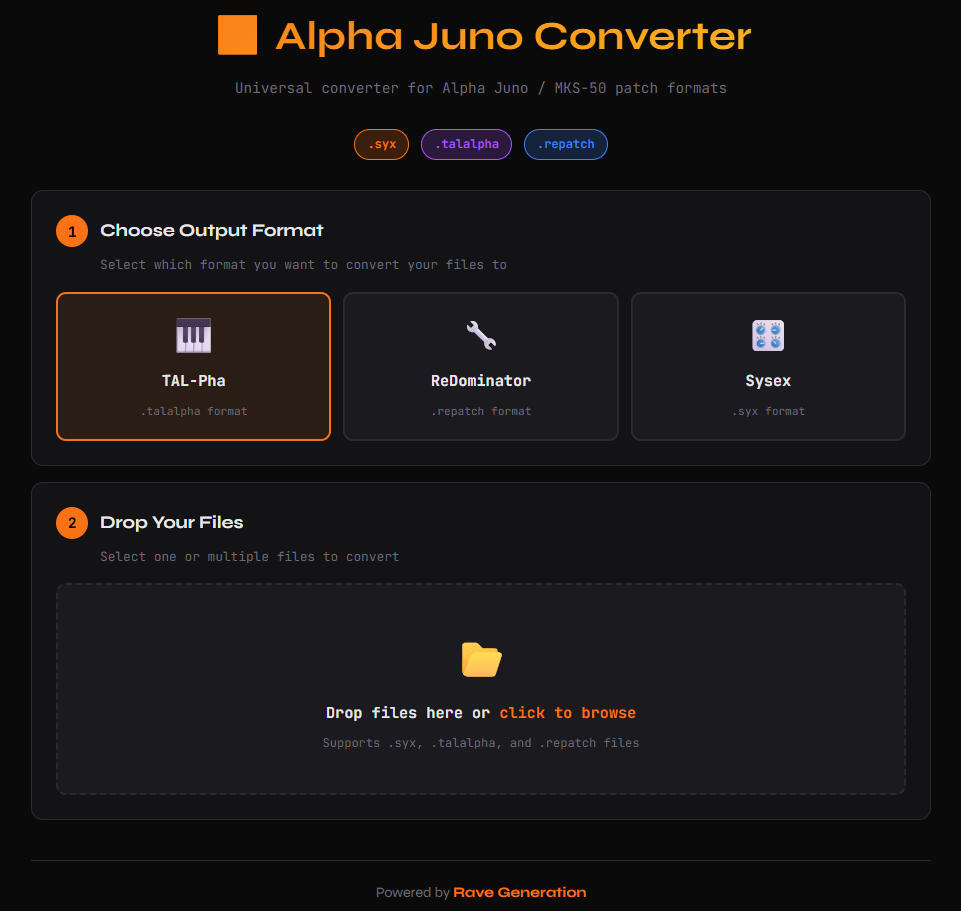
ALPHA JUNO CONVERTER
Universal converter for Alpha Juno / MKS-50 patch formats
| NAME | VERSION | |
|---|---|---|
| ALPHA JUNO CONVERTER | 1.0.0 | START NOW |
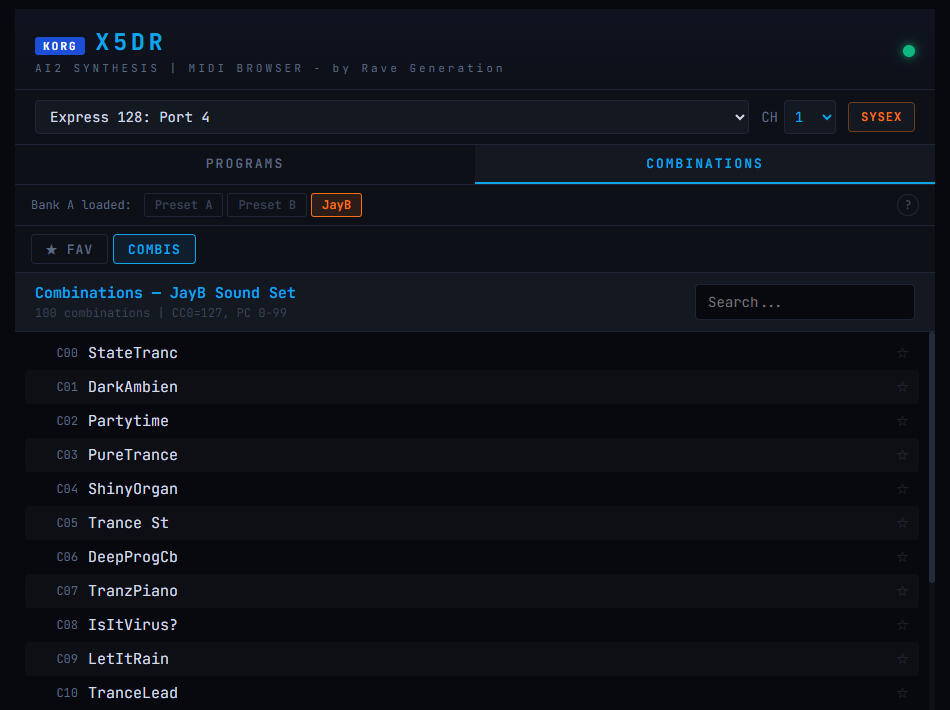
KORG X5DR MIDI BROWSER
AI2 synthesis MIDI browser for KORG X5DR
| NAME | VERSION | |
|---|---|---|
| KORG X5DR - MIDI BROWSER | 1.0.0 | START NOW |
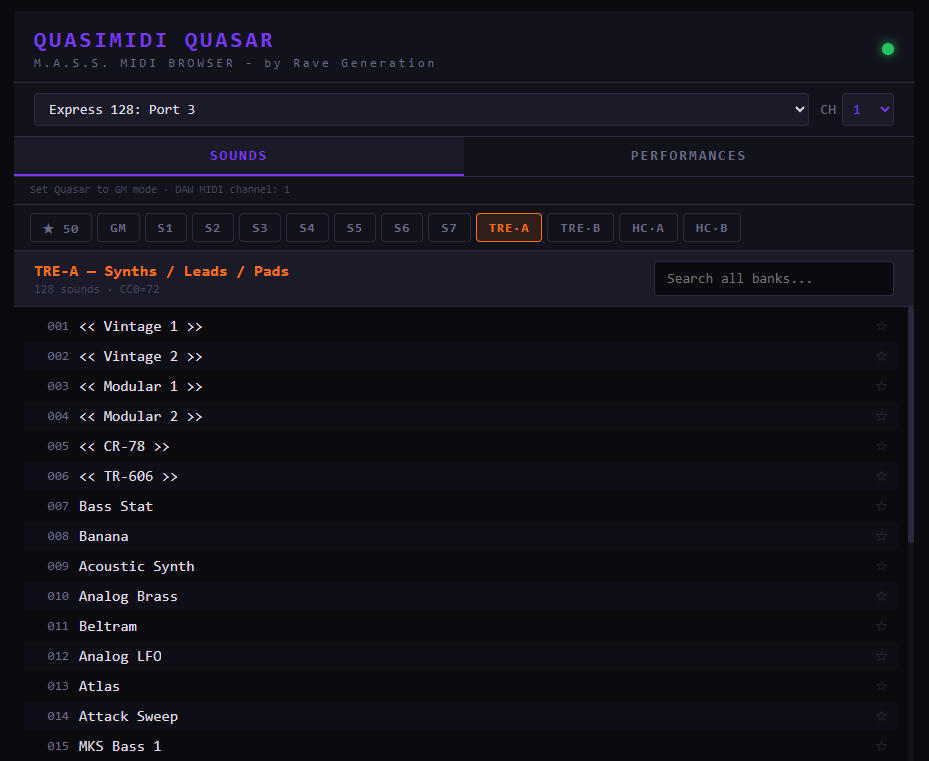
QUASIMIDI QUASAR MIDI BROWSER
M.A.S.S. MIDI browser for Quasimidi Quasar
| NAME | VERSION | |
|---|---|---|
| QUASIMIDI QUASAR - MIDI BROWSER | 1.0.0 | START NOW |